Practical answer
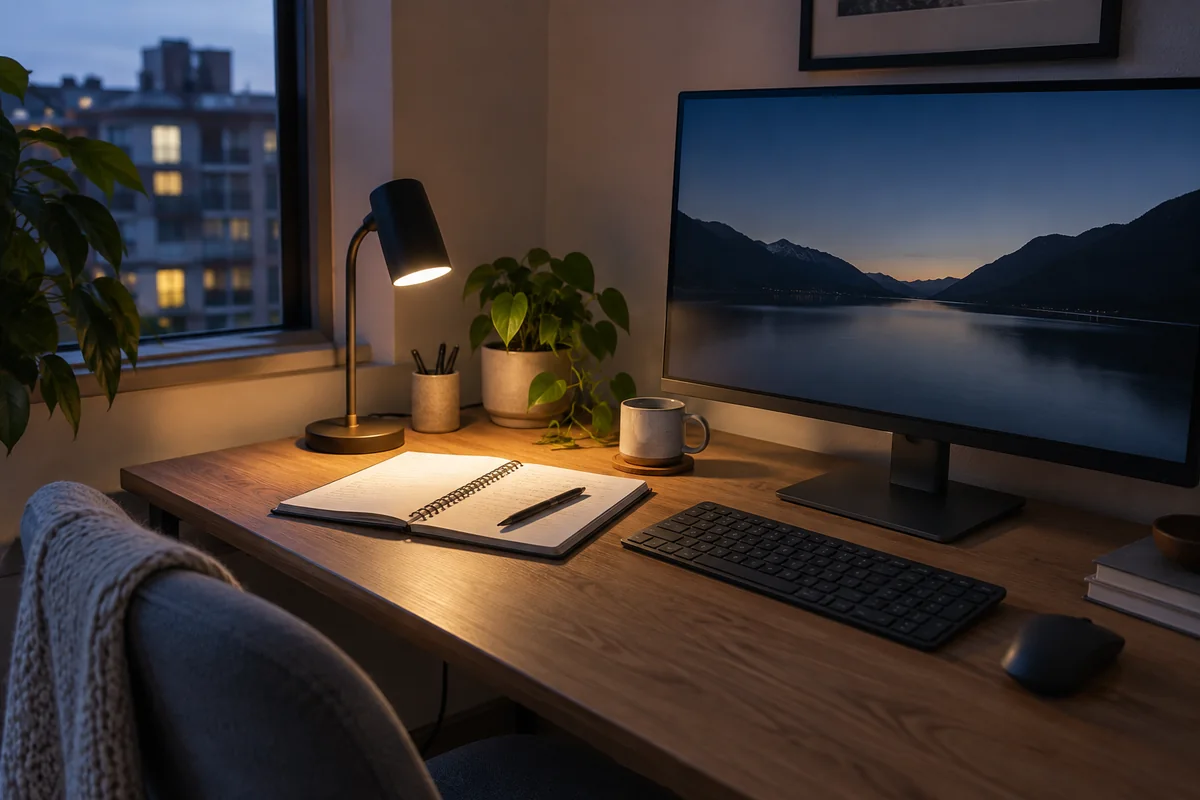
Choose a home-office desk lamp by the work area it must illuminate and the glare it must avoid. A monitor-mounted bar protects desk space, an articulated task light reaches paper and craft work, and an ambient/task hybrid covers more roles but takes more room.
Published lumens alone do not predict comfort at the desktop. Beam shape, mounting position, dimming range, color options, controls, reflections and room light determine whether the lamp improves the actual setup.
- Define the task area before comparing output
- Place the lamp before judging glare
- Check clamp, base or monitor fit
- Prefer controllable light to maximum brightness
Match the lamp format to the job
| Format | Strong use case | Constraint to verify |
|---|---|---|
| Monitor-mounted bar | Keyboard and desk lighting with no base footprint | Monitor thickness, curvature, webcam position and screen reflections |
| Articulated task lamp | Paper, drawing or detailed work moved around the desk | Reach, joint stability, clamp opening or base footprint |
| Ambient and task hybrid | One fixture used for focused and room lighting | Physical footprint, control method and placement range |
| Simple fixed lamp | A stable single-purpose reading zone | Whether the shade and height keep the source out of the eyes |
A practical lamp test
- Mark the keyboard, notebook or object that needs light; do not aim at the whole room by default.
- Place the monitor at right angles to strong windows where possible, then position the lamp to the side opposite the writing hand.
- Set the lamp low enough to shield the source from the eyes but high enough to spread light across the task.
- Check the screen from the normal eye position for bright reflections and reduce or redirect the beam before increasing brightness.
- Compare low-light control, reach and daily controls; maximum output is useful only if the lamp can also be comfortable.
For a small desk, budget the mounting space
A compact lamp is not defined by the size of its shade. Measure the base footprint or clamp contact area, the arm sweep, the cable exit and the controls in the positions used every day. A narrow base can still block the keyboard when its arm folds forward.
Monitor-mounted lights preserve the most surface area, but the monitor housing, curvature, webcam and top ventilation must all remain compatible. Clamp lights move the footprint to the edge, where a beveled desktop, rear frame or wall can prevent installation.
Read specifications without overrating them
- Lumens describe emitted light, not how evenly the work surface is illuminated.
- Color temperature changes appearance; a wider range is useful only if the controls are convenient enough to use.
- Color-rendering claims matter most when color discrimination is part of the work.
- USB charging, apps and occupancy sensors add functions but also compatibility, privacy or standby-power considerations.
- For a clamp or monitor mount, the published fit range is as important as the light specification.
Published-spec examples for different constraints
These examples are not universal rankings. Each one remains on the shortlist because its published design fits a different workspace constraint. No affiliate relationship influenced inclusion.
| Model | Useful for | Published highlights | Verify before buying |
|---|---|---|---|
| ScreenBar Halo 2 BenQ | Dark-room work | Front and rear lighting modes; Wireless controller | Fit must be checked against the monitor housing |
| Nova Task Light Humanscale | Desks needing a long articulated reach | Published 32.75-inch maximum reach; 14–100% dimming range | Premium price positioning |
| Solarcycle Morph Desk Light Dyson | Users who want task and ambient modes in one fixture | Published 2700–6500K undocked range; 850-lumen published output | High cost and large footprint |
ScreenBar Halo 2
Best suited to: Dark-room work; Desks that cannot spare a lamp footprint.
A monitor-mounted light for desks where surface area is scarce. Manufacturer documentation highlights front and rear lighting modes, wireless controller, published fit guidance for thin and curved monitors.
Potential strengths
- Uses no desk surface
- Adjustable modes
- Detailed official compatibility notes
Points to verify
- Fit must be checked against the monitor housing
- More specialized than a normal desk lamp
Nova Task Light
Best suited to: Desks needing a long articulated reach; Users who prefer touch dimming and an occupancy sensor.
An adjustable task light with base and clamp configurations. Manufacturer documentation highlights published 32.75-inch maximum reach, 14–100% dimming range, desktop and clamp base options.
Potential strengths
- Flexible placement
- Low published 7W consumption
- Long published warranty for listed configurations
Points to verify
- Premium price positioning
- Fixed color-temperature choices are less flexible than tunable lamps
Solarcycle Morph Desk Light
Best suited to: Users who want task and ambient modes in one fixture; App-connected lighting routines.
A highly adjustable premium light with broad color-temperature control. Manufacturer documentation highlights published 2700–6500k undocked range, 850-lumen published output, integrated usb-c charging point.
Potential strengths
- Wide lighting-mode range
- Detailed technical sheet
- Long articulated reach
Points to verify
- High cost and large footprint
- App features add setup and privacy considerations
Questions people ask
Is a monitor light bar better than a desk lamp?
It is better for saving surface space and lighting the keyboard area, but it may not reach paper placed to the side and can conflict with webcams or unusual monitor housings.
How bright should a desk lamp be?
There is no useful universal lumen answer because distance, beam spread, room light and task differ. Choose adequate output plus smooth dimming and place the beam without screen glare.
Should the lamp be on the left or right?
For handwriting, placing it opposite the writing hand usually reduces hand shadow. For screen work, reflection control and window orientation may decide the better side.
Sources and methodology
These sources support the setup logic and boundaries above. Check product-specific instructions before making a purchase or changing electrical equipment.
- Workstation Environment — U.S. Occupational Safety and Health Administration ↗Official guidance on glare, windows, task lighting and reflected light.
- ScreenBar Halo 2 specifications — BenQ ↗Official mounting, control and compatibility information.
- Nova Desk Light — Humanscale ↗Official reach, power and control specifications.
- Solarcycle Morph Desk Light — Dyson ↗Official modes, output, color-temperature and control information.