Practical answer
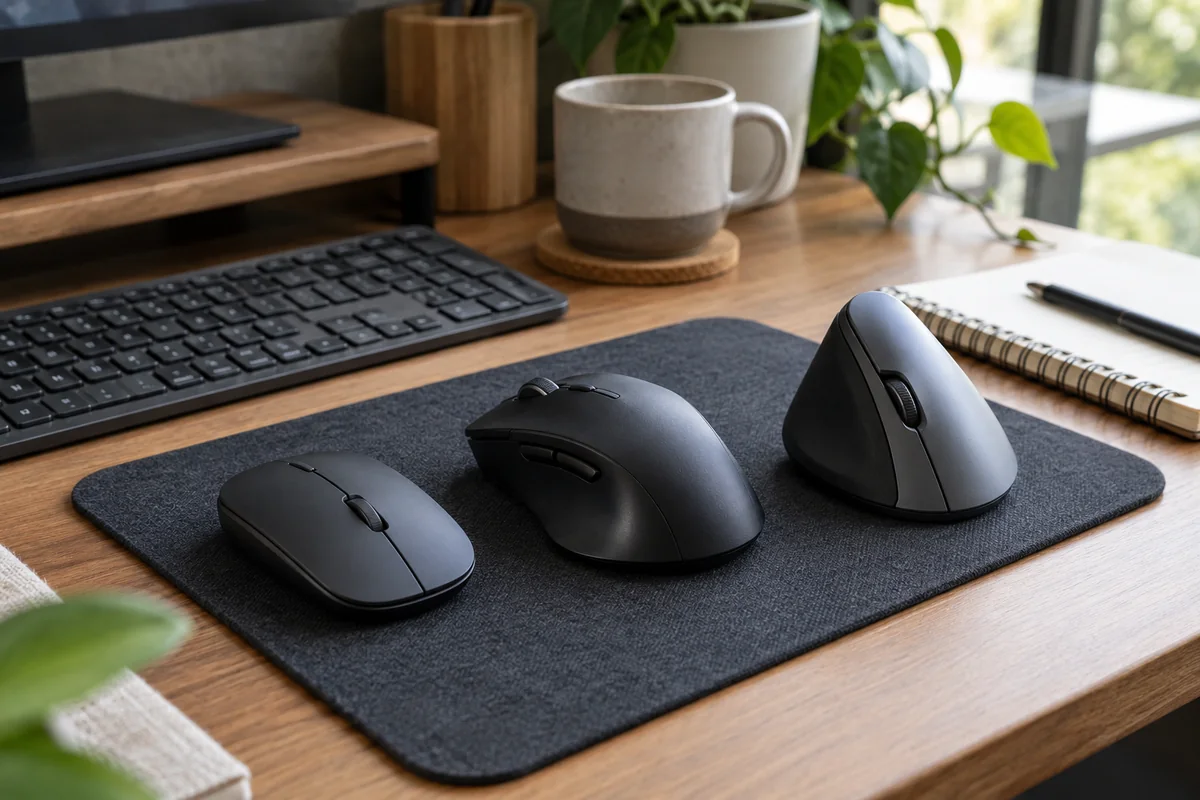
A vertical mouse changes forearm and hand orientation; a conventional mouse usually requires less adaptation and offers more shapes, sizes and ambidextrous options. Neither category is automatically comfortable. Fit, reach, grip force, pointer settings and the tasks performed are at least as important as shell angle.
Treat a vertical mouse as an input-device choice, not a medical treatment. Trial it with ordinary pointing, dragging, precision selection and scrolling, and stop attributing persistent pain or numbness to a shopping decision.
- Trial the complete workday tasks
- Match hand size and handedness
- Keep either mouse beside the keyboard
- Tune pointer settings before judging control
Compare the two shapes by constraint
| Constraint | Vertical mouse | Conventional mouse |
|---|---|---|
| Hand orientation | More rotated toward a handshake-like position | More palm-down, with wide variation by shell shape |
| Adaptation | May require relearning lift, drag and fine selection | Usually familiar to existing mouse users |
| Handedness | Many models are hand-specific | More ambidextrous and left/right choices exist |
| Hand size | Tall shells can be difficult if too large or small | Broad selection, but fit still must be checked |
| Desk and travel | Often taller and less packable | Low-profile options are easier to carry |
| Software and buttons | Varies by model and work-computer permissions | Varies equally; category does not guarantee support |
A fair three-stage trial
- Place the mouse immediately beside the keyboard at the same working level.
- Set pointer speed so the display can be crossed without gripping hard or repeatedly lifting.
- Test basic pointing first, then dragging, spreadsheet selection, design tools and horizontal scrolling if relevant.
- Use the device for several normal work blocks; separate unfamiliarity from a persistent fit problem.
- Compare hand tension, shoulder reach, control errors and task time without claiming a medical outcome.
Reasons to skip a particular model
- The shell does not support the intended hand size or dominant hand.
- Primary buttons require reaching or squeezing.
- The height interferes with the keyboard tray, bag or switching between devices.
- Required customization software cannot be installed on the work computer.
- The pointer remains difficult to control after reasonable setting and adaptation checks.
Questions people ask
Will a vertical mouse cure wrist pain?
This guide makes no treatment claim. A different orientation may feel preferable, but persistent pain, numbness, weakness or tingling warrants appropriate professional assessment.
How long does a vertical mouse take to learn?
There is no universal period. Simple office pointing may feel familiar quickly, while precise dragging or specialized applications can take longer.
Is a regular mouse bad for ergonomics?
Not inherently. A well-fitting conventional mouse placed close to the keyboard with suitable settings may work well for many users.
Sources and methodology
These sources support the setup logic and boundaries above. Check product-specific instructions before making a purchase or changing electrical equipment.
- Workstation Components - Pointer/Mouse — U.S. Occupational Safety and Health Administration ↗Official guidance on pointer placement, fit, shape, settings and trial before long-term use.
- Computer Workstations Purchasing Guide — U.S. Occupational Safety and Health Administration ↗Task, user ability, hand fit and vertical/alternative device selection guidance.
- Lift Vertical specifications — Logitech ↗Official example of hand-specific dimensions, DPI range, connection and software requirements.